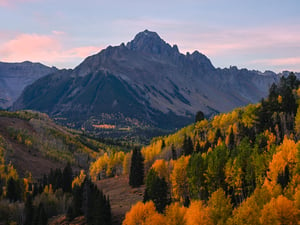
I’m excited to announce that we’re now able to offer yearly, rather than just monthly, memberships on our Member Page! Our readers have asked about this feature for months, and it’s finally here. To kick things off, we’re also announcing a major 72-hour sale for yearly signups.
Photography News: Nikon Camera Sales, Panasonic S5 II Pre-Burst

This has been quite a busy week for our team. Spencer put another batch of lenses through their paces in our lab, including a pair of Nikon supertelephotos that I'm very curious about. Jason is on a quest to photograph his 700th bird species, currently stuck on bird #699. As...
One Way to Take Better Light Painting Photos at Night
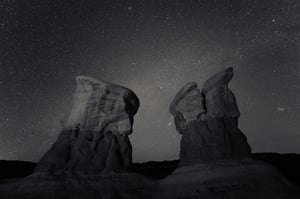
If you’ve ever tried light painting for Milky Way photography, you may have run into some frustrating issues. Maybe your light’s color temperature didn’t match the scene, or the shadows and highlights somehow looked artificial. Or, perhaps you got a spotlight effect that didn’t cover a wide enough area.
Peak Design Travel Backpack 45L Review
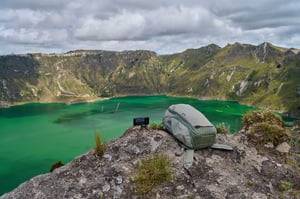
Recently, I was asked what piece of photography equipment I use the most. At first, I almost said "my camera". But then I thought about it and reconsidered my answer. While it is true that I use my camera for 100% of my photographic work, there is another piece of...
1,000 Photography Life Members – Thank You!
Three months ago, we decided to take Photography Life in a different direction. At a time when most websites shove increasingly aggressive ads into people’s faces, and many replace good writers with AI-generated garbage, we removed all third-party ads from Photography Life and invested even more in our articles.
Sony FE 35mm f/1.8 Review
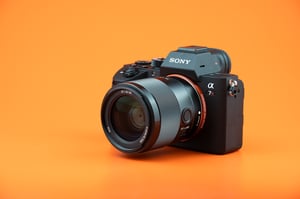
Today’s hands-on review covers everything you need to know about the Sony FE 35mm f/1.8 lens. Small and portable, this lens features a bright maximum aperture of f/1.8 – good for shooting in low light or capturing a shallow depth of field. Here’s how it performs.
Photography News: Nikon Tilt-Shift Rumor, MicroSD Sales
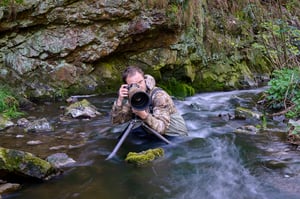
As photographic equipment becomes more sophisticated, it's only a matter of time before something breaks. And, naturally, it will tend to break at the worst possible time. This happened to me while I was in the field recently. Fortunately, I was able to work around it and continue documenting a...
Aspect Ratio in Photography: What You Need to Know
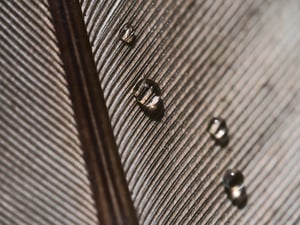
The aspect ratio of an image is the ratio between its length and its width. Almost all modern digital cameras create images with a 3:2 or 4:3 aspect ratio, while the 16:9 format is common for video. On the other hand, the aspect ratio of a photo can be changed...
How to Photograph a Solar Eclipse
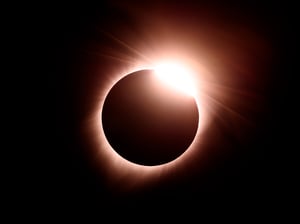
On Monday, a total solar eclipse will cross North America, giving photographers in some parts of Mexico, the United States, and Canada a chance to photograph this remarkable phenomenon. Don’t wait until the last minute to prepare! Our updated guide covers everything you need to know about photographing the eclipse.
How to Use Nikon SnapBridge: A Beginner’s Guide
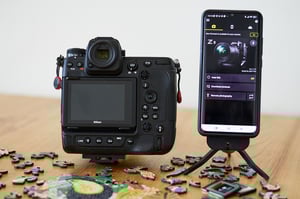
In 2016, Nikon first introduced SnapBridge, an app designed to create a "seamless connection between a camera and a smart device." I first used this app a year later on a trip to Australia, where I intended to use it primarily as a remote shutter release for my Nikon D500....