This page contains all of our post-processing tips, tutorials and articles for photographers who are looking to edit their photos, ranging from beginning to advanced techniques. Ever since the first darkroom, the art of editing a photo has been one of the most essential steps in photography. Good post-processing can bring out the character and emotions of a scene you witnessed, transforming a good image into a great one. However, the most important step is knowing how to edit images properly in the first place, which is not always an easy task. Below, you’ll find all the information you need in order to do just that.
If you are just starting out in Lightroom, we highly recommend that you start with our Complete Lightroom Tutorial for Beginners. Beyond that, we have written a large number of articles related to Lightroom that you can check out below. To make it easier to navigate through all the content, we have broken it down by organization, editing, and other Lightroom-related tutorials.
Lightroom - Editing
- 5 Simple Lightroom Tips You Might Not Know About
- 5 Tools You Might Not Be Using in Lightroom
- A Few Different Ways to Adjust Image Brightness
- Adding A Splash Of Color With Your Post-Processing Tools
- Basic Post-Processing Workflow in Lightroom
- High-Contrast B&W With Lightroom
- How to Add Film Grain in Lightroom
- How to Avoid and Reduce Noise
- How to Convert Portraits to B&W with Lightroom
- How to Create a Lightroom Develop Preset
- How to Create a Lightroom Snapshot
- How to Create a Panorama in Lightroom
- How to Create an HDR Panorama in Lightroom
- How to Crop in Lightroom and Why
- How to Enhance Landscape Photos in Lightroom
- How to Get Accurate Canon Colors in Lightroom
- How to Get Accurate Fuji Colors in Lightroom
- How to Get Accurate Nikon Colors in Lightroom
- How to Get Accurate Sony Colors in Lightroom
- How to Install Lightroom Presets
- How to Make Sharp Watermarks in Lightroom
- How to Make the Sky Blue in Lightroom
- How to Properly Sharpen Images in Lightroom
- How to Simulate the Orton Effect in Lightroom
- How to Split-Tone Photos in Lightroom
- How to Use the Adjustment Brush in Lightroom
- How to Use the Basic Panel in Lightroom
- How to Use the Graduated Filter in Lightroom
- How to Use the HSL/Color Panel in Adobe Lightroom
- How to Use the Radial Filter in Lightroom
- How to Use the Spot Removal Tool in Lightroom
- How to Use the Tone Curve Panel in Lightroom
- How to Watermark Images in Lightroom
- Landscape Photography Post-Processing Tutorial in Lightroom
- Lightroom Dodging and Burning Tutorial
- Lightroom is Acting Slow? Here Are 11 Ways to Speed It Up
- Lightroom Lens Corrections Explained
- Lightroom Process Version Explained
- Lightroom’s HDR Display Features Explained
- Lightroom’s Useful “ISO Adaptive Preset” Feature Explained
- Post-Processing Portraits in Lightroom
- Range Masks Explained: One of Lightroom’s Most Powerful Tools
- What is Purple Fringing in Photography?
Photoshop
- A Beginner’s Guide to Adobe Photoshop
- A Guide to Black and White Conversion Using Photoshop
- Adobe Super Resolution Review: A Good Step, Not a Revolution
- Fixing Partly Underexposed Images in Photoshop
- How to Accentuate Light in Photoshop
- How to Add Frames to Photos in Photoshop
- How to Blend Layers in Photoshop: Blend Modes Explained
- How to Blend Multiple Exposures of Cityscapes
- How to Blur Background in Photoshop Using Lens Blur
- How to Brighten Eyes in Photoshop
- How to Change an Object’s Color in Photoshop
- How to Correct White Balance in Photoshop
- How to Create a Diptych in Photoshop
- How to Crop Images in Photoshop
- How to Optimize Photoshop for Panoramas and Huge Files
- How to Properly Resize Images in Photoshop
- How to Quickly Even Out the Sky in Post-Processing
- How to Reduce Noise Using Smart Objects
- How to Set Up and Empty Scratch Disks In Adobe Photoshop
- How to Smoothen Skin and Get Rid of Blemishes in Photoshop
- How To Undo and Redo In Adobe Photoshop
- How to Use Curves in Photoshop
- How to Whiten Teeth in Photoshop
- Photoshop 2021’s Sky Replacement Explained
- Photoshop Layers and Layer Masking for Beginners
- Photoshop Smart Objects Explained: Why They’re Helpful for Photography
- Photoshop’s Best Content-Aware Tools, Explained
- Photoshop’s Selection Tools for Photography, Explained
- sRGB vs Adobe RGB vs ProPhoto RGB
- Understanding Luminosity Masks in Photoshop
- Understanding Pen Tablets for Photography
- Understanding Photoshop’s Generative Fill for Photography
- Using Content-Aware Fill Non-Destructively in Photoshop
- Using the High Pass Filter for Image Sharpening in Adobe Photoshop
- What is “Blend If” in Photoshop?
- What Is Color Banding and How to Fix It
Workflow
- Dygma Raise Review: An Ergonomic, Photography-Friendly Keyboard
- Efficient Lightroom Workflow for High Resolution Images
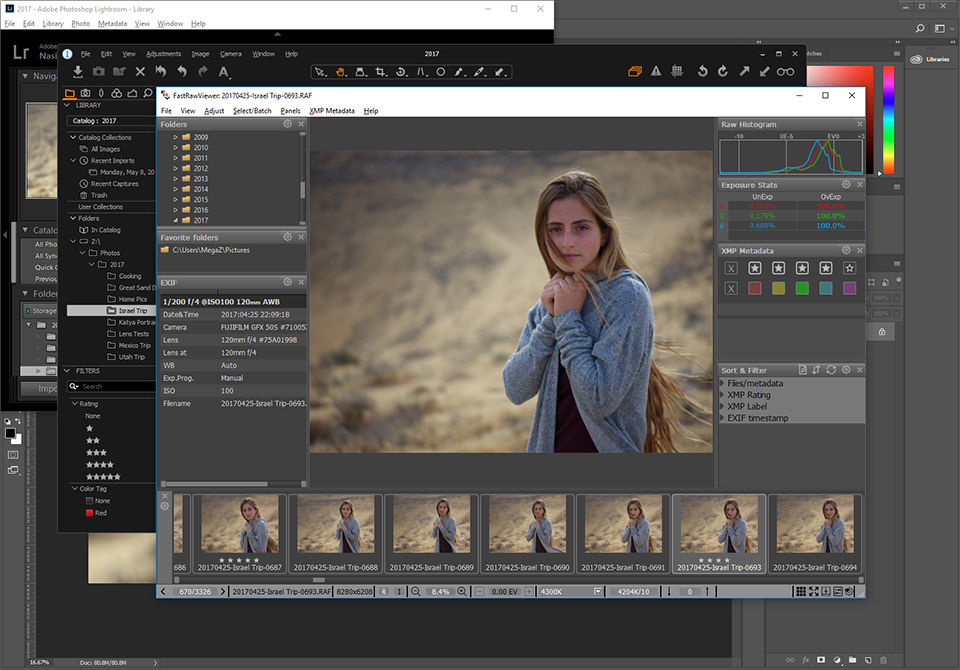
- How to Cull Your Images Faster with FastRawViewer
- How to Significantly Reduce Your Backup Needs
- Photography Backup Workflow
- Photography Workflow – Year-End Activities
- The Basics of Backing Up Photos, Explained
- What is a 30 Bit Photography Workflow?
- What is a Photography Workflow?
- Why Pen Tablets Are So Useful for Photo Editing
Software Reviews
- ACDSee Pro 8 Review: Searching for Alternatives
- Adobe Photoshop Lightroom 5 Review
- Alien Skin Exposure X3 Review
- Best Non-Destructive Editing Software for Photography
- Best Panorama Stitching Software for Photography
- DxO PhotoLab 6 vs DxO PureRaw 3
- DxO PureRaw Tested: A Noise Whisperer?
- FastRawViewer Review: Best RAW Viewer for Your Workflow
- Five Free, Open-Source Photo Editors To Try in 2024
- JPEGmini Pro Review
- Lightroom Classic vs Alien Skin Exposure X3
- Lightroom Classic vs Lightroom (2023)
- Lightroom vs Capture One: Should You Switch?
- Lightroom vs ON1: Should You Switch?
- Lightroom vs Photoshop Elements
- Luminar Neo Review: A Revolution in Photo Editing?
- Photoshop vs Lightroom: What You Need to Know (2024)
- The Best Noise Reduction Tools for Photography (2024)
- VSCO FILM 01 Review
- Zerene Stacker Review: Easy & Advanced Focus Stacking
Lightroom - Organization
- Branding and Customization in Lightroom
- How and Why to Use the Lightroom Metadata Panel
- How to Avoid Duplicate File Names
- How to Fix Blank Images in Lightroom
- How to Import Photographs in Lightroom
- How to Manage Presets in Lightroom
- How to Optimize Lightroom Speed and Performance
- How to Organize Photos in Lightroom
- How to Properly Resize Images in Lightroom
- How to Remove Modules in Lightroom
- How to Use the Filter Bar in Lightroom
- How to Use Virtual Copies in Lightroom
- Library Module Overview: Image Review and Toolbar
- Lightroom Catalogs Explained
- Lightroom Grid View Options
- Lightroom Import Settings
- Lightroom Library Module Overview: the Navigation Panel
- Lightroom Loupe View Options
- Lightroom Modules Explained
- Sharing Lightroom Catalog with Multiple Computers
- Using Filename Template Editor in Lightroom
Lightroom - Other
- Best Lightroom Export Settings To Use
- Choosing Black And White
- How to Geotag Photographs in Lightroom
- How to Tether Your Camera in Lightroom
- How to Upgrade Lightroom
- How to Use External Editors in Lightroom
- Integrating JPEGmini Pro to Lightroom Workflow
- Lightroom 2, 3, 4, 5, 6 and CC Performance Comparison
- Most-Used Lightroom Keyboard Shortcuts
- What is Adobe Photoshop Lightroom?
Tutorials
- 7 Methods to Create Realistic HDR Images
- Advanced Photography Technique: Brenizer Method Panorama
- Advanced Post-Processing Tips: Three-Step Sharpening
- Five Basic Rules of Post-Processing Your Photos
- How to Deal with Post-Processing Pains
- How to Edit Underwater Photos
- How to Enlarge Photographs for Printing
- How to Fix Panorama Merging Errors
- How to Increase the Resolution of an Image
- How to Process Infrared Photographs
- How to Set Up a MIDI Console for Capture One (or Any Other Photo Software)
- How to Take Black and White Pictures
- How to Use Perspective Corrections in Lightroom and Photoshop
- Introduction to Image Cropping
- JPEG Compression Levels in Photoshop and Lightroom
- Mastering Dodge and Burn in Photography
- My Five Favorite Post-Processing Secrets
- Photo Noise Reduction Tutorial
- Portrait Editing: Before and After
- Recommended Computer Settings for Photo Editing
- Selective Color Correction in Lightroom and Photoshop
- Turn Your Photo into An Artwork
- When and How to Upsample an Image
- Why You Should Consider Re-Editing Your Best Photos
Capture One