DNG vs RAW

Should you use DNG or RAW format? This is one of the most important questions that you as a photographer need to ask yourself, because it will definitely affect your digital photography workflow. Every photographer has their own say on whether to use DNG or RAW, but it is important to know the key differences between the two, along with their advantages and disadvantages. In this article, I will provide as much information as I can about both formats, in addition to my opinion and workflow. If you are looking for more information about how RAW images compare to JPEG images, then please read my “RAW vs JPEG” article.

1) What is RAW?

RAW images, also known as “digital negatives” are truly “raw”, meaning they are almost unprocessed data coming directly from the camera sensor. Unlike JPEG files that can be easily opened, viewed and printed by most image-viewing/editing programs, RAW is a proprietary format that is tied to the camera manufacturer and sensor, and therefore is not supported by all software products. RAW files preserve the most amount of information about an image and generally contain more colors and dynamic range than other formats.


1.1) Advantages of RAW format

  1. RAW files contain full JPEG Previews that were processed by the camera, using the camera settings you chose when you shot the image.
  2. In addition to basic exposure information, RAW files also store other camera-specific data such as focus point, picture controls, etc.
  3. RAW files are fully supported by their manufacturers and therefore work with camera-specific software packages such as Nikon Capture NX.
1.2) Disadvantages of RAW format

  1. Not all software packages can open RAW files. If you have a brand new camera that just got released, you might need to wait for a while for software companies to catch up and update their software so that your RAW files could be opened and worked on, even on the most popular image-editing products such as Lightroom.
  2. Because RAW files cannot be modified by third party software, your settings will have to be stored in a separate sidecar (XMP) file, which means more storage and tougher file management.

2) What is DNG?

DNG is also considered to be a RAW image file. It is Adobe’s proprietary image standard that was created to store image data in a generic, highly-compatible format, unlike RAW files that have specific formats based on manufacturer and camera type. Although DNG was invented by Adobe and is supported in all Adobe applications, there are other companies like Leica and Hasselblad that adopted this standard and use it in their cameras as their native RAW file format.

2.1) What are the advantages of DNG format?

  1. No need to be worried about proprietary camera RAW formats – once a RAW file in converted to DNG, it will work with any software that can read the DNG format.
  2. DNG files are generally smaller than RAW files and can be made even smaller if minimal or no JPEG Preview is stored within the file.
  3. Changes to images can be written directly into DNG files without having to create separate sidecar XMP files to store this data. This simplifies file management.
  4. DNG files are capable of storing full original RAW files and these RAW files can be later be manually extracted, if needed.
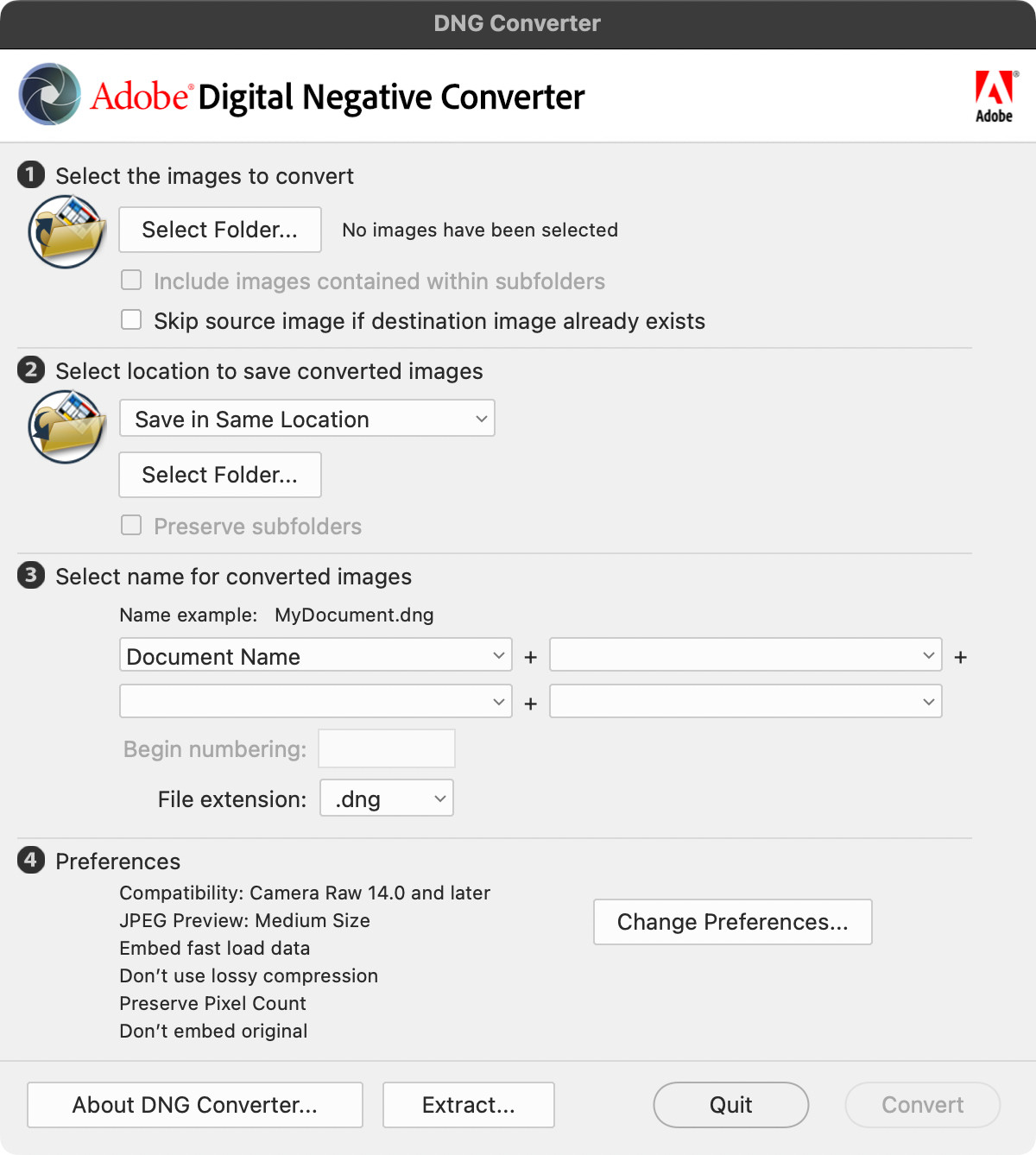
  5. Adobe provides many ways to automatically convert RAW images to DNG format in such programs as Lightroom.
  6. Adobe continues to work on the DNG format, enhancing it year after year and adding more functionality and features.

2.1) What are the disadvantages of DNG format?

  1. Conversion from RAW to DNG takes extra time during the import process.
  2. DNG does not work with all manufacturer image-processing programs. For example, it doesn’t work with Nikon’s Capture NX product.
  3. DNG strips out some of the unrecognized meta data (such as Active D-Lighting and Picture Control) from RAW files, making it impossible to retrieve this data from DNG in the future.
  4. Because all changes are written into the DNG file, you would have to back up the entire DNG file every time you make changes to it.

3) Should you use DNG or RAW?

I personally prefer to use DNG for the following three reasons:

  1. Compatibility – it doesn’t matter what camera I use today or tomorrow, my files are preserved in one highly-compatible format that is here to stay.
  2. Simplicity – all changes are written into the same file and I do not have to worry about having one separate file per image just to store my post-processing settings.
  3. Size – that 15-20% of extra space does make a difference when you have tens of thousands of pictures. Why should I waste space by storing information in RAW files that I do not need?

Sure, it does take more processing power and time to work with DNG images compared to RAW, but the above advantages far outweigh the problems with RAW for me. I do not use Capture NX and within the last two years, I haven’t had a need to go back to my original RAW files. My backup process is actually simpler and smoother now, because I do not have to worry about selecting only sidecar files for backup – I just backup whatever photos I work on.

As far as whether to preserve or not to preserve the original RAW/NEF files, I personally keep my RAW files until I back up my photos to at least two separate hard drives. Once I am absolutely positive that everything is fully backed up, only then do I purge my old NEF files to save some space.

Please let me know if you have any questions or feedback in the comments section below.


Be Sociable, Share!

Related posts:

  1. Nikon RAW (NEF) Codec for 64 bit Vista or Windows 7
  2. What is a DSLR (Digital SLR)?
  3. What is EXIF Data?
  4. How to Organize Photos
  5. How to remove EXIF Data
About Nasim Mansurov

is a professional photographer based out of Denver, Colorado. He is the author and founder of The Mansurovs, along with a number of other online resources. Read more about Nasim here.

Comments

  1. 1
    ) Prem

    Hi Nasim,

    Thank you for creating this wonderful web site with Lola and contributing and sharing your knowledge of photography. I am amazed at the quality of your pictures despite reading that you only took up DSLR photography in 2007! It encourages me to keep working at my own attempts at photography. Although I’ve been enjoying it as a pastime for many, many years, I have only recently invested in a DSLR. Just as I was looking into the Nikon 300s, the Canon 7D came out and, as difficult as it was, went with it instead because of its features including superb HD video, with the approval of a Nikon user friend of mine. I’ve invested in Canon’s L lenses and keep working at improving my shots.

    In reading your articles, I’m drawn to your web site not only because of the wealth of information, but because of what I perceive as genuine warmth. Please keep up the great work as I’m sure more and more people will be drawn to it and learn from it.

    Prem

    • 2
      ) Nasim Mansurov

      Prem, thank you so much for your feedback, we truly need it here :) I get encouraged by a lot of good comments from our visitors and want to write more and more every day! I wish I had a little more time though, since work consumes me almost completely.

      The Canon 7D is a superb camera and I have seen a lot of proud owners of this camera. Canon did a remarkable job with this camera and the video on the 7D is simply stunning.

      Good luck in your photography and if you have any questions, please let me know and I will do my best to help you out!

      Sincerely,
      Nasim

  2. 3
    ) John Berry

    Thanks for taking the time to detail the pros and cons of raw. I had pretty much decided to go with raw but your informative article has clinched the deal.

    • 4
      ) Nasim Mansurov

      John, you are most welcome! Please let me know if you have any other questions :)

      • 46
        ) Dr. Peter Hampel

        We work with fluorescent dyes and face a simple problem:
        We like to digitize fluorescent dye blots to come to measurment data (e.g. integration of area, perimeter etc.) Our canon EOS 60D delivers CR2 RAW files and the back ground has anun predictable structure

        Taking two photographs, one (1) with structured back ground only and one with structured background and visible light flurescent blot (2) Subtracting 2 less 1 ought to result the “cleared” visible light flurescent blot. Fine, but how to come to digital data ?

        Can you advise how to come to a RAW file conversion (Canon EOS 60D) into a matrix like
        Pixel x / y containing Green (some data) / Blue (some data) / Red (some data) ????

        Thank you for your help in advance

        Peter

  3. You lay out very good details on this dilemma. I have been tossing and turning over this decision and have actually gone back and forth over the last year, never seeming quite informed enough to make the decision once and for all. I do like the fact that DNGs do not use a sidecar file. However, do you know if converting to DNG does anything to degrade the image in any way (color accuracy, etc.)? I, too, am a devoted Nikon shooter and just don’t want to lose any quality. However, thanks to your informative article I am very, very close to using the DNG format exclusively. Thanks!

    • 6
      ) Nasim Mansurov

      Bob, no, DNG does not degrade image quality in any way – it is still a RAW file.

      • Thanks! I appreciate your response and the confirmation that converting to DNG does not degrade image quality. I think I am about to make the move to DNG!

      • Nasim,

        Thanks for the well written articles. I have had a camera of some sort since I was 5 and am now 56 but Only got my first DSLR (Nikon D5000) in early 2010. I am no pro but people say I have a good eye for composition and I know what I like when I see it though I often don’t know what to do to improve things I don’t like.

        After getting overwhelmed by the number of pix I am collecting I settled on Lightroom 3 and it was the, apparently, ubiquitous dilemma of DNG vs RAW that brought me here. You said to Bob that DNG doesn’t degrade image quality but in the article you also say that it makes some info, like Active-D lighting, no longer available to the user. To me this says that it degrades the ability to modify the RAW file.

        How important are things like this to someone who isn’t making a living at this nor takes pix every week but is moderately picky as to how things look?

        Best Wishes,

        Phil

  4. 9
    ) Hikamata Kapatsa

    Hi Nasim
    I must agree that it is encouraging to know that u really started out only in 2007! this is a great site and a wealth of information (i learn something new on every page i open!) Thanks for sharing!

    I am new to DSLR’s (Nikon D3000) and begining to experiment with RAW. Only problem is i can’t open NEF file in PS-CS4, Lightroom2.2 or PSE7 ? Camera came with veiw nx but its really slow and all along my JPEG edits have been done in PSE7. I have, however, found that with i can convert NEF files to DNG with DNG converter that i downloaded, i can then edit them as RAW files in my Adobe applications! Question: Is there a dis advantage to this workflow ie NEF to DNG to JPEG? am i losing something? Is there a better way?

    • 10
      ) Nasim Mansurov

      Hikamata, thanks for stopping by and dropping a comment!

      In order to open NEF files in Photoshop CS4, you need to update your camera RAW to the latest version. Here is where you can download it. Once you install the latest version, both Lightroom and Photoshop will be able to open and process the files.

      In terms of DNG, I convert all of my NEF files to DNG for future compatibility and smaller size. You do not lose any quality, because DNG is also a RAW file format. So yes, the workflow would be NEF->DNG->JPEG.

      Hope this helps.

  5. 11
    ) rafi

    Dear Nasim

    Wonderful article. You’ve convinced me to use DNG. However, could you point me in the direction where I can download a dng image as an example? I wanted to use photoshop dng converter to open a dng file.

    Please send me a link to a few images in dng format.

    Thank you.

    Rafi

    • 12
      ) Nasim Mansurov

      Rafi, not sure where you can find DNG images on the Internet, since they occupy too much space. You can convert any of your images to DNG format by using a DNG converter from Adobe.

      Also, why don’t you use Lightroom to open DNG files instead of Photoshop?

  6. 13
    ) chuck king

    Love your article…I have a question that no seems to be able to answer for me…They dance around the answer, or lack of….When I shoot in raw, the wb, saturation, sharpness etc. is not supposed to influence the photo…But it does, as you said a raw file contains a jpeg preview that the camera settings
    influenced…This does not make sense to me…All I want to view is the “actual” raw image…no jpeg preview, no tags, nothing…just the image, like a true film negative….I tried a test using all the different wb’s in the camera, and of course they were all different…I hope I am saying this correctly…I just want to see the real raw file…Do you know if this is possible? What camera settings to use in raw, etc…If it was a truely raw photo like everyone says, then why can’t I see it? Please help if can, Thanks again for your writings, chuck king

    • 14
      ) Nasim Mansurov

      Chuck, what software do you use to view your RAW images? When you view RAW files using regular photo viewing applications, they will only show you the embedded JPEG file. In order for you to be able to see the actual RAW file, you would need to open the RAW image in Adobe Photoshop or Lightroom and then apply your own settings to those files. If you do not want any settings applied, simply right-click the image and then go to Develop->Reset, which should reset all settings to their defaults.

    • 34
      ) Gary

      For those of us old enough to remember film, it makes a good comparison.

      A RAW file is like film — and the human eye one cannot see the image on film. Unprocessed film is just an even-colored blank expanse to the human eye.

      The film had to be processed into a negative or slide before anyone could see the image. And the results varied depending on how the film was processed. We varied the time, temperature, agitation and chemical composition to achieve different results.

      With RAW files the processing is done with software. Better than film, you can process RAW files working in the light and reprocess the files again and again until you get the results you love. Yet like film, you cannot see a thing until it’s processed.

  7. 15
    ) Daniele

    Thank you very much for the insight, I’ve recently started using RAW full time (I used to go JPEG most of the time, reserving RAW for “complex” shots only) and I’m in the process of defining a better workflow. Your post shed additoinal light on DNG, and I think I may have made up my mind at this point. I have a doubt, though: how would I cancel any changes I made to the DNG in Adobe Camera Raw? I’m especially confused about cropping: what if I want to go back?
    Thank you very much!

    • 16
      ) Nasim Mansurov

      You are most welcome Daniele!

      I also have a tutorial on “how to organize photos in Lightroom“, which you might find helpful. In terms of canceling your changes in Lightroom/Photoshop – DNG, just like RAW is a non-destructive format, which means that whatever changes you make can be simply reset. In Lightroom, you can right click an image and go to Develop->Reset, which will reset everything to defaults. You can revert back the changes in Adobe Camera RAW the same way…

      • 17
        ) Daniele

        Thank you very much. :) I had a few issues because right clicking in ACR only shows a zoom menu, but I discovered that clicking and holding the crop tool shows a little menu that allows to reset any crops and rotations applied. As for the rest, it’s easily reset by accessing the picture menu and choosing the appropriate item. I can’t be more precise because I’m on a machine without ACR, but once again thank you for the article and for the kind reply. DNG is the way to go. Now I just need to find some place that sells cheap CF cards. :D

        • 18
          ) Nasim Mansurov

          Danielle, I personally moved my workflow to Lightroom 3 and I don’t bother with ACR anymore. It is just too darn slow for processing hundreds of images ;-)

          • 19
            ) Daniele

            Oh, I’m very critical of my work, I’ll eventually only actually process a handful photos. For the others, if I need to keep them, I created an action that just runs ACR with the default parameters that I run through the ‘batch’ function of Photoshop. I start it up, and go make some tea. :)

            PS: it’s Daniele with one L; I’m an Italian male. :p

  8. Thank you for setting up this page.

    You have solved a problem I have had for a while now.

    Its DNG all the way!!!!!!

    Thanks for all your good advice.

  9. 23
    ) Merlin

    Good article on the use of DNG files. I use DNG files all the time. When I read this article and found out where you said that the dng files are smaller than the raw files I went to check on my camera. I use the Pentax K20D. In this camera you can specify whether you use the Pentax raw file or the dng for taking your photos. I took some test shots this morning and found that the dng file is about 2x the size of the Pentax raw files. The K20D is a 14.6 megapixel camera. The photos I took this morning were RAW 11.7mb and the DNG was 22.8mb. The DNG was twice as large as the Pentax PEF file. Why might that be? That being the case I may switch back to using the PEF format.

    • 24
      ) Nasim Mansurov

      Merlin, DNG is not going to be smaller if you choose it as a default format on your camera, because most likely your camera is embedding the original RAW file into the DNG file as well. Shoot in RAW and then convert your images to DNG in Lightroom and you will save some space.

  10. I’me new to DNG conversion and open to improvements. Please help me with my problem comparing before/after size. With Lr3 conversion, I notice that with (Canon 5D MII CR2) files seem to double in size rather than get smaller by 15-20%.

    is there something i am doing incorrectly?

    Marc B

    • 27
      ) Nasim Mansurov

      Marc, you probably have your JPEG preview file set to Large and you are probably embedding the original CR2 file into DNG, which would make it double in size. Make sure that you are not embedding the original RAW file into DNG – check your Lightroom options.

  11. 26
    ) Anon

    Nice article. However, please not that DNG is an open format. This is the one and only reason why the DNG format is expected to survive for a very long time.
    [reference: http://en.wikipedia.org/wiki/Digital_Negative_(file_format) ]

  12. 29
    ) Eduardo Duarte

    Hello Nasim
    I noticed that when I export and covert a DNG to JPG the file gets reduced to 2.5MB. Thats going to affect the quality and size when I’m ready to print the image? . Raw file are larger when you convert them to JPG’s. Cna you clarify that for me thank you very much!

  13. 30
    ) Myra Barnes

    Hello, I have found your posts SO helpful! But I still have a dilemma. I have the Canon 60D, LR3, and CS5. I recently did a shoot for the first time using RAW+JPEG format. Now, I cannot import these photos into LR3 so that I can fix the white balance, and other things. I was advised that RAW is the best when needing to have more flexibility in post-processing, but I do not understand why I cannot import them. I’ve read something about converting to DNG, as well as that my camera model may be too new to allow for import of RAW files to LR3. Can you help?

  14. 31
    ) Andrew

    Hello Nasim,
    You wrote that DNG in 15-20% less than original RAW. I wonder where it cuts the corners.
    Does RAW contain a lot of waste in it or DNG uses better lossless data compression algorithm?

  15. 32
    ) Radek

    Hi,

    Thanks for the informative article. I am in process upgrading my computer for my photography hobby and I took that opportunity to revisit raw (Nikon NEF files) vs. DNG dilemma which brought me to your site.

    I am certainly drawn to openness of the DNG format, but I find embedding corrections/adjustments to the DNG file to be a bad thing. I find myself coming back to my older pictures after some time revisiting my post-processing choices and often process my images differently as I grow as a photographer. That might as well mean keeping original (unprocessed) DNG file as well as modified ones which effectively negates storage advantage.

    On the other hand I wonder if using programs such as Lightroom or Aperture which use nondestructive image processing preserve DNG files and store corrections separately.

    At any rate, I still have some thinking to do and tests to run :-)
    Thanks for helpful post!
    R>

  16. 33
    ) Scott

    This is a reply to chuck king who was concerned when his raw photos showed up the way he shot them (with the white balance he set, etc) instead of looking completely unprocessed when he looks at them.

    All raw processing or conversion programs have to apply some settings to display a raw file on your screen. There really is no way to view a completely unprocessed raw file unless you’re really good at reading and interpreting a lot of numbers yourself on the fly (like in The Matrix). The program processes the raw data in some way to display it to you, or displays the jpeg file. How it chooses to process and display the data vary from one program or converter to another.

    Depending on the software you use, it may default the processing to very different settings (assuming you’re not seeing the embedded jpg version or thumbnail). For example, if you’re using the raw conversion software that came with your camera it often defaults the processing to the settings you used when you took the photo. But these are only defaults and doesn’t indicate that the sensor data was stored the way you’re seeing it.

    In addition to the raw sensor data, most raw formats store data about the white balance and other parameters that the camera was using as metadata. This means the settings are not part of the sensor data, but are data about the sensor data (ie metadata) that is stored in the same raw file. If you use the raw processing software that came from your camera manufacturer, it has usually been set to read the metadata about how you were shooting the photo and automatically applies those same processing settings to the raw data on first display until you change them. It has to start by displaying the picture by processing it in some way, so why not some reasonable settings?

    The customized SilkyPix processor that comes with all Pentax DSLRs works this way. It knows the white balance, etc, from the metadata and initially processes and displays the raw data based using these settings since they’re somewhat likely to be useful as a starting point.

    I’ve often forgotten to change my white balance in my camera (for example going from incandescent light to shooting in daylight) and when I first opened my raw file in SilkyPix it would apply the incandescent setting to the daylight shot making it look icky and very blue. All I had to do to get a more reasonable setting was choose “Daylight” from the white balance drop-down and it looked good again since it simply changed the processing settings it was applying.

    If you’ve ever tried fixing a jpg shot with a dramatically wrong white balance, you know it’s not very easy and you may never get your photo to look quite right since the jpeg has thrown data away and it’s missing forever now. You don’t have these difficulties with raw files since the file has all the sensor data and can process the photo however you specify using the converter software. When you change settings, it processes it all over again from the original data so you don’t need to worry about it if the program opens with certain settings applied. Just un-apply the settings you don’t like and you are no worse off because it defaulted to displaying one way or another at first.

    Some raw converters such as the one that comes with Photoshop may be more neutral than others, but they’re still processing the data in some way for initial display. I notice that it defaults to 25% sharpening and a medium tone curve (I think this is it since I don’t have the program in front of me). Though it doesn’t attempt to white balance in quite the same way that SilkyPix does from the camera metadata. If/when I don’t like these settings I can change them, and I believe the converter can be customized to use different defaults when opening a raw file.

    So . . . after the too long explanation . . . if you don’t like the default settings your raw converter is applying then you probably want to change them. It really hasn’t destroyed your photo by opening it with certain settings. When you change the settings, it’s changes the processing *from the original sensor data* and isn’t working in a lossy way and layering your changes on top of changes it has already made. It always starts processing from the original sensor data, so you can change settings as much as you want in the raw converter until you get them how you like without worrying about destroying your photo because you tried too many processing settings.

  17. 35
    ) Harlem

    Hello Nasim,
    Reading your articles has been very informative and encouraging! I’m a amateur photographer who has become more and more involved on photography. I am starting to organize my pictures using your system through Lightroom 3 and came across this article in regards to RAW vs. DNG, and I noticed that you don’t speak about dng. What is the difference?

    Thanks for all that you contribute!
    Harlem

  18. 36
    ) Julie

    Hi,

    I was wondering if you have found any way, either with RAW or DNG, to have the photos imported into lightroom looking closer to the JPEG preview in the back of the camera. I do realize that this is just a camera interpretation of the original file, but it would save many hours to have it look closer to what I see on the back of the camera, since that was how I was trying to capture it.

    Thanks for your time and info.

    Julie.

  19. 38
    ) Iman

    I have lost my DNG files after a HDD crash. Most softwares do recover all the content of the HDD but the DNG files. Do you have any solution to recover the DNG?

  20. 39
    ) Antonio Luiz Brandão Squadri

    Dear:

    I did not undestand your comment “My backup process is actually simpler and smoother now, because I do not have to worry about selecting only sidecar files for backup – I just backup whatever photos I work on.”. Could you explain me how you have worked with RAW files and how you are working today?

    Thank you very much,
    Antonio Squadri

    • Antonio, camera RAW files are proprietary, which means that software like Adobe Photoshop/Lightroom cannot make any changes to it. That’s why they create a sidecar file when you process the image, because that’s where all the changes/adjustments are written to. If you convert to DNG, you only have one file to work with and all changes are added to that file (the original RAW data is not touched, only additional data is written to it). Hence, you have twice less files in your computer. The rest of the info is provided in this article.

  21. 42
    ) Antonio Luiz Brandão Squadri

    How could I extract manually RAW files from DNG ones? Could I extract the original RAW file even after many adjustments?

  22. 43
    ) Peter Wreford

    I have a Nikon P7100 camera which saves it’s raw files as *.NRW extension.
    How can I convert these to *.DNG extension?

    Regards, Peter

  23. 44
    ) Joff

    thanks for this article, I now have a better understanding of dng files. :)

  24. 45
    ) Jeojeo Serrano

    thanks for this artice, i understand the differences between dng & raw as what ou said that dng and raw are the same. i have question cuz i always shoot in raw but the problem is i can’t open in photoshop cs5 the raw files so i need to convert in dng in lightroom 3 my question is even i converted into dng files in lightroom, the quality of raw file is still the same like raw files? is it true that croping the image will loose the quality or pixels of an image? thnak you and more power sir hope you will answer all my question thnak you and best regards….

Speak Your Mind

*